> ## Documentation Index
> Fetch the complete documentation index at: https://docs.clearspend.ai/llms.txt
> Use this file to discover all available pages before exploring further.
# Choosing integrations
> Pick the right data source for discovery, invoices, card charges, and alerts.
Not sure which connection to set up first? Use the guides below. You can combine most **Track Spend** sources with **App Discovery** (Google Workspace).
**KPI cards and charts use charges only** — from statement CSV imports or Plaid. Invoice integrations (Gmail, Drive, forward email) add supporting documents, not dashboard totals. See [How data enters ClearSpend](/connect/how-data-enters).
## Quick picker
| Your goal | Start here |
| --------------------------------------- | ---------------------------------------------------------------------------------------------------------------------------------------- |
| Populate KPI cards and charts | [Import a statement, statement CSV](/connect/data-sources#import-subscriptions) or [Plaid](/connect/connect-your-bank) |
| Attach invoice proof for reconciliation | [Upload invoices](/connect/data-sources#upload-invoices-and-receipts), [Gmail](/connect/gmail), or [Google Drive](/connect/google-drive) |
| Auto-import invoices from email | [Gmail](/connect/gmail) |
| Sync PDFs from a shared folder | [Google Drive](/connect/google-drive) |
| Detect charges from your card | [Connect your card (Plaid)](/connect/connect-your-bank) |
| Discover who uses which apps | [Google Workspace](/connect/google-workspace) |
| Renewal alerts in Slack | [Slack](/connect/slack-integration) |
***
## Gmail vs Google Drive vs forward email
| Method | Best when | Ongoing? |
| ------------------------------------------------------------------- | -------------------------------------------------------------------------- | ---------------------------------- |
| **[Gmail](/connect/gmail)** | Invoices arrive as email with PDF attachments in a Gmail inbox | Yes — scheduled sync |
| **[Google Drive](/connect/google-drive)** | Finance saves PDFs to a shared Drive folder (e.g. `/ClearSpendDocuments/`) | Yes — scheduled sync |
| **[Forward email](/connect/data-sources#forward-an-invoice-email)** | You don't want OAuth, or invoices land in Outlook/other mail | Manual per message (or inbox rule) |
| **One-off upload** | Single missing invoice | No |
**Most finance teams:** connect **Gmail** (or forward) for invoices **and** **Google Workspace** for app discovery. They solve different problems.
***
## Plaid vs CSV statement upload
| Method | Best when |
| ----------------------------------------------------------------------------------- | ---------------------------------------------------------------- |
| **[Plaid (card link)](/connect/connect-your-bank)** | Ongoing charge detection from linked accounts; no manual exports |
| **[Import subscriptions / CSV upload](/connect/data-sources#import-subscriptions)** | One-time backfill from a card export; no card OAuth |
Card linking creates **charges** that populate KPI cards and dashboard charts. Statement CSV imports do the same for one-time backfills. Invoices (from Gmail, Drive, or upload) add **supporting documents** — renewal terms and line items — but **do not** add amounts to KPIs without a matching charge. Many teams use **both**.
 ***
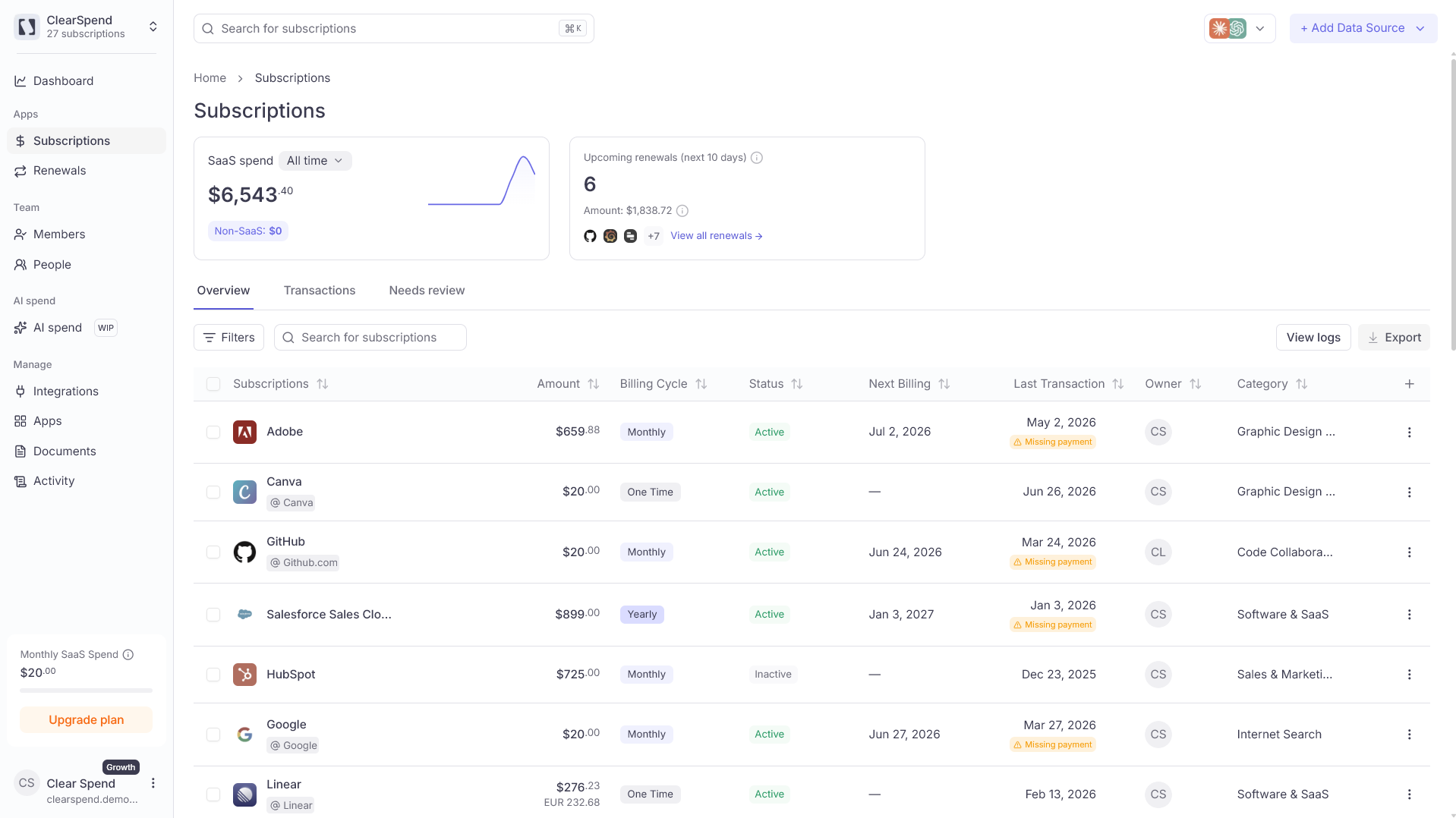
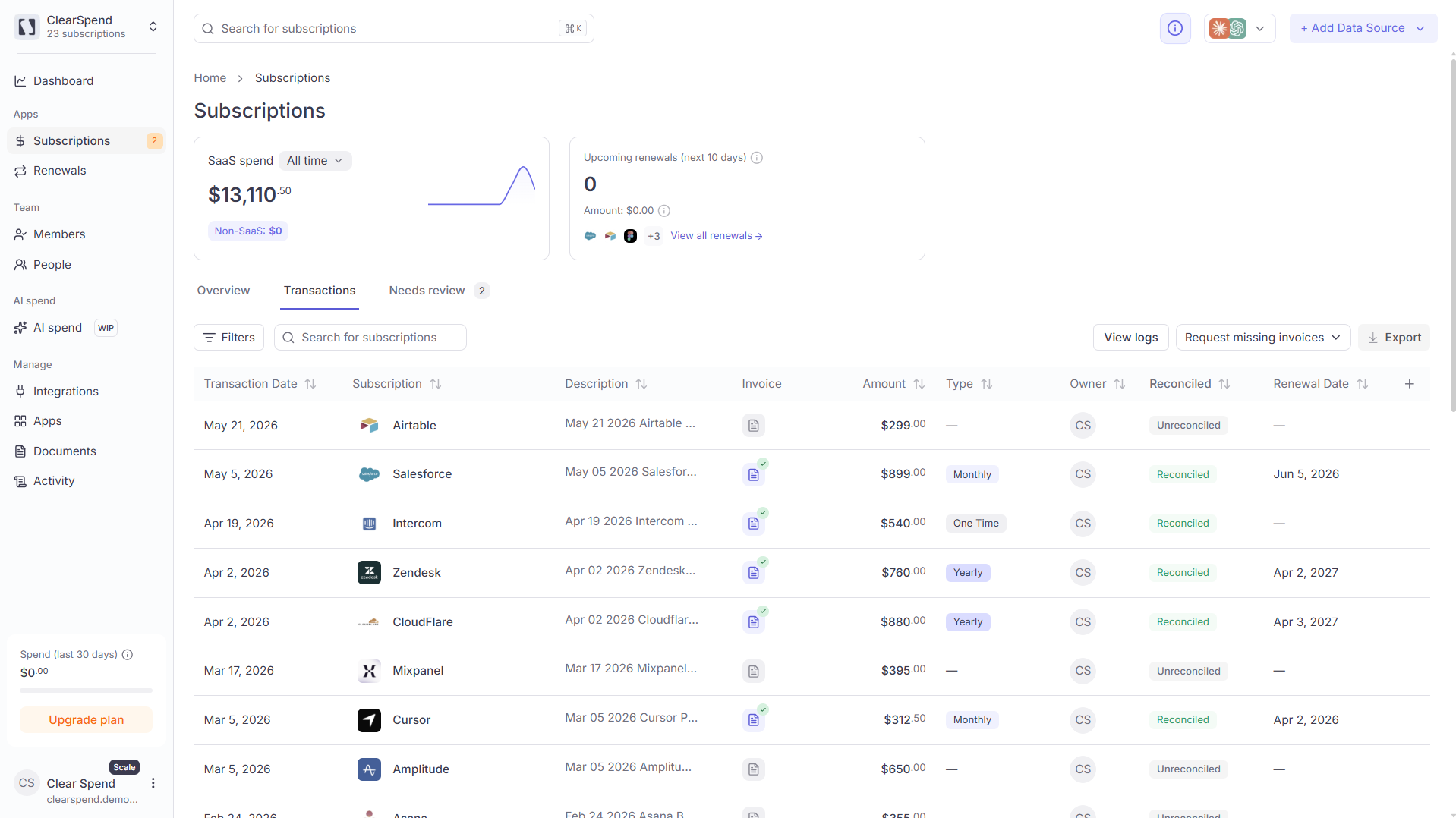
## Subscriptions: Overview vs Transactions vs Needs review
| Tab | One row per | Use it to |
| ---------------- | --------------------------------------- | ----------------------------------------------------------------------- |
| **Overview** | Subscription (latest charge) | Portfolio view, export, bulk actions |
| **Transactions** | Individual payment | Reconcile a specific charge, audit history |
| **Needs review** | Invoice-only detections (no charge yet) | Triage before Overview; amounts excluded from KPIs until charge arrives |
***
## Subscriptions: Overview vs Transactions vs Needs review
| Tab | One row per | Use it to |
| ---------------- | --------------------------------------- | ----------------------------------------------------------------------- |
| **Overview** | Subscription (latest charge) | Portfolio view, export, bulk actions |
| **Transactions** | Individual payment | Reconcile a specific charge, audit history |
| **Needs review** | Invoice-only detections (no charge yet) | Triage before Overview; amounts excluded from KPIs until charge arrives |
 See [Needs review](/features/subscriptions#needs-review) for the approval queue.
***
## Something wrong?
| Problem | Fix |
| ---------------------- | ----------------------------------------------------------- |
| Invoices not appearing | Check [Activity](/features/activity) or wait for first sync |
| Hit integration limit | Upgrade plan — [Billing](/settings/billing#usage-limits) |
## Related
* [Integrations overview](/connect/integrations)
* [How data enters ClearSpend](/connect/how-data-enters)
* [Troubleshooting](/reference/troubleshooting)
See [Needs review](/features/subscriptions#needs-review) for the approval queue.
***
## Something wrong?
| Problem | Fix |
| ---------------------- | ----------------------------------------------------------- |
| Invoices not appearing | Check [Activity](/features/activity) or wait for first sync |
| Hit integration limit | Upgrade plan — [Billing](/settings/billing#usage-limits) |
## Related
* [Integrations overview](/connect/integrations)
* [How data enters ClearSpend](/connect/how-data-enters)
* [Troubleshooting](/reference/troubleshooting)