> ## Documentation Index
> Fetch the complete documentation index at: https://docs.clearspend.ai/llms.txt
> Use this file to discover all available pages before exploring further.
# Spending trend
> Interpret the spending trend chart on your ClearSpend dashboard — Trend and Actual Spend views.
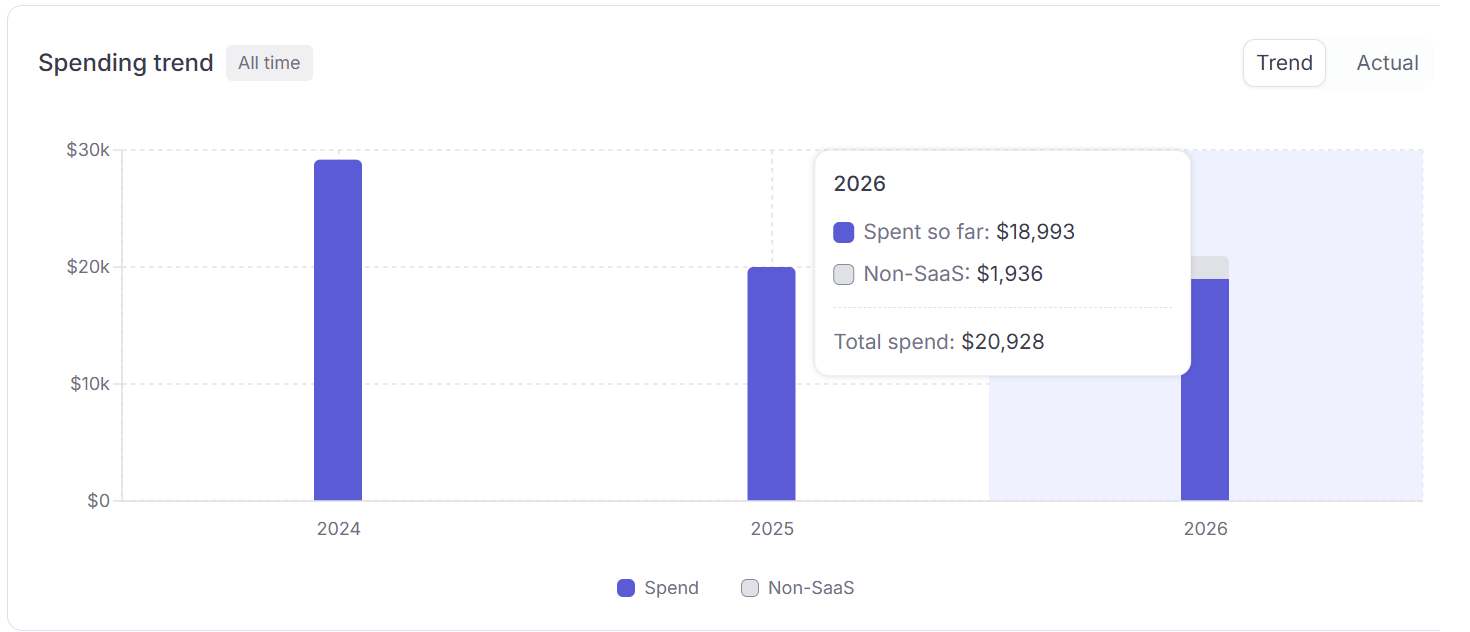
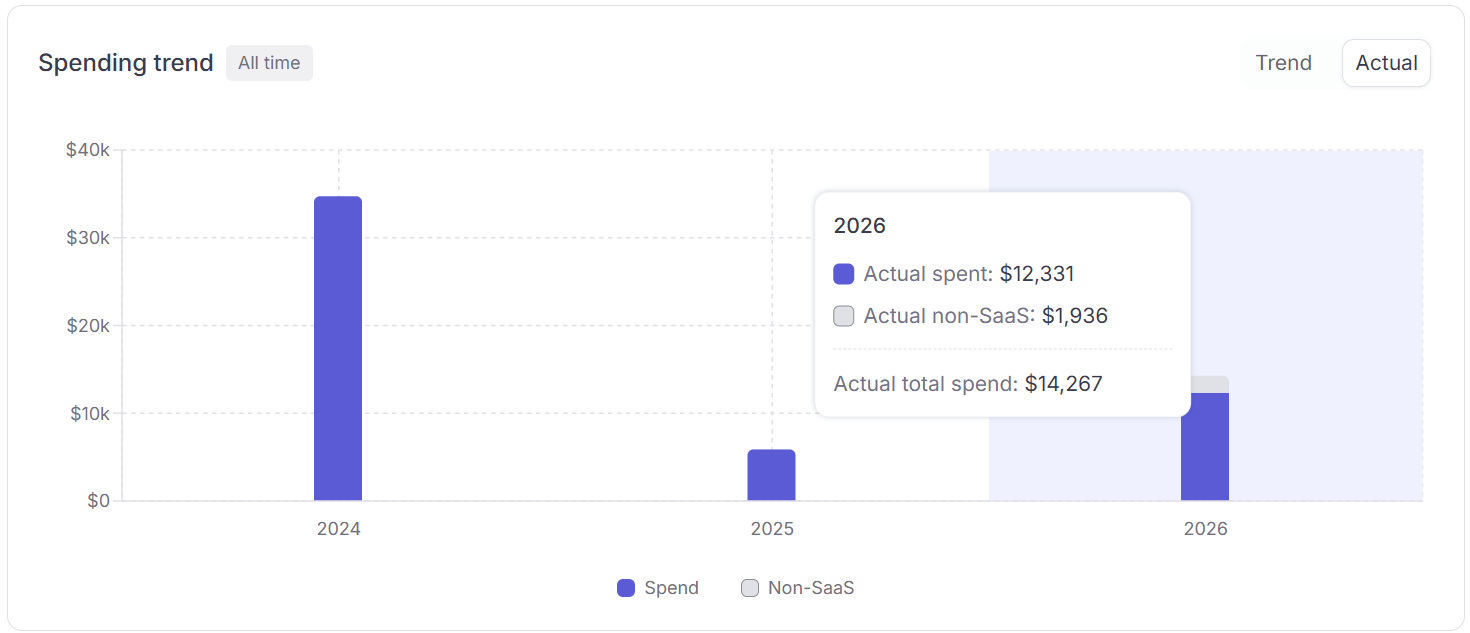
The **Spending Trend** chart sits below the KPI cards and shows bar-chart spend per calendar month. Use it to track budget trajectory and spot anomalies.
## Two view modes
| Tab | What it shows |
| ---------------- | ----------------------------------------------------------------------------------------------------------------------------------------------------------------------------------------------------------------------------------------------------------------------------- |
| **Trend** | Spend normalized across time: yearly subscriptions are divided equally across 12 months so the chart shows a smooth monthly average. Good for spotting long-term patterns without big one-off spikes. Projected spend for future months is shown in a lighter, hatched style. |
| **Actual Spend** | Spend posted on the exact date the charge occurred. A $120/year subscription appears as a single $120 bar in the month it was charged, not as \$10/month. Use this view to match charges to your actual card statements. |
 ## Non-SaaS
Each bar stacks **SaaS spend** (purple) with a **grey segment** for **Others** category charges — travel, hardware, and other non-software spend. The grey portion appears automatically when those charges exist.
Non-SaaS amounts are **excluded from KPI cards and SaaS totals**, but still show on the chart. See [SaaS spend vs. Non-SaaS spend](/features/dashboard#saas-spend-vs-non-saas-spend) for how categories affect your totals.
## Date window
The chart respects the date filter in the dashboard top-right. Changing it rescopes all KPIs, the trend chart, and widgets simultaneously.
## Related
* [Dashboard](/features/dashboard)
* [Dashboard KPIs](/features/dashboard-kpis)
* [Widgets](/features/dashboard-widgets)
## Non-SaaS
Each bar stacks **SaaS spend** (purple) with a **grey segment** for **Others** category charges — travel, hardware, and other non-software spend. The grey portion appears automatically when those charges exist.
Non-SaaS amounts are **excluded from KPI cards and SaaS totals**, but still show on the chart. See [SaaS spend vs. Non-SaaS spend](/features/dashboard#saas-spend-vs-non-saas-spend) for how categories affect your totals.
## Date window
The chart respects the date filter in the dashboard top-right. Changing it rescopes all KPIs, the trend chart, and widgets simultaneously.
## Related
* [Dashboard](/features/dashboard)
* [Dashboard KPIs](/features/dashboard-kpis)
* [Widgets](/features/dashboard-widgets)