> ## Documentation Index
> Fetch the complete documentation index at: https://docs.clearspend.ai/llms.txt
> Use this file to discover all available pages before exploring further.
# Subscription detail
> Review spend, usage, and billing history for a single subscription, and edit subscription details.
Click any subscription row on the [Subscriptions](/features/subscriptions) page to open its detail view.
## KPIs
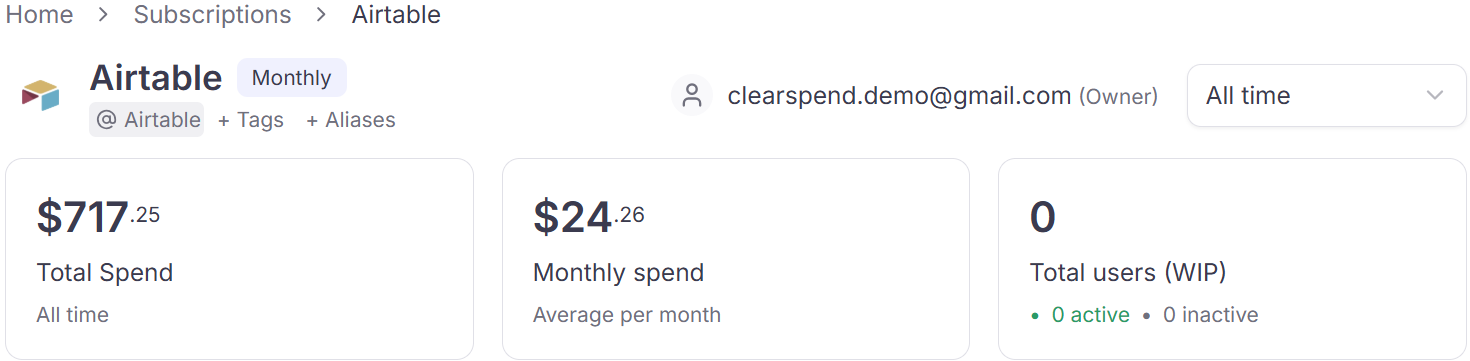
Three summary cards at the top:
| KPI | What it shows |
| ------------------------- | ------------------------------------------------------------------- |
| **Total spend** | Cumulative spend on this subscription over the selected date window |
| **Average monthly spend** | Mean monthly cost, with a trend vs. the prior period |
| **Total users** | Number of seat-holders, broken down into active vs. inactive |
 ## Spending trend
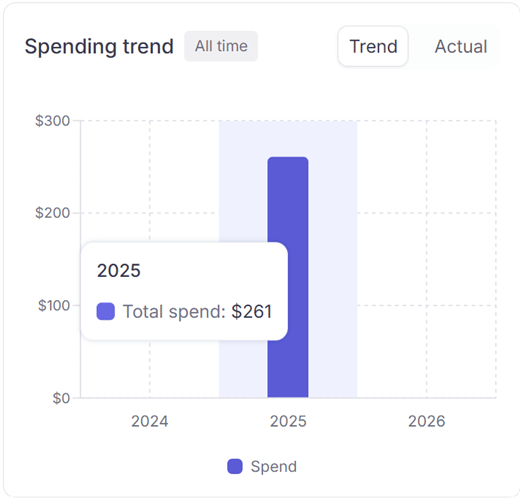
A line chart showing monthly spend for this subscription over time. Use this to spot price increases, usage spikes, or gaps where no charges were recorded.
## Spending trend
A line chart showing monthly spend for this subscription over time. Use this to spot price increases, usage spikes, or gaps where no charges were recorded.
 ## Usage
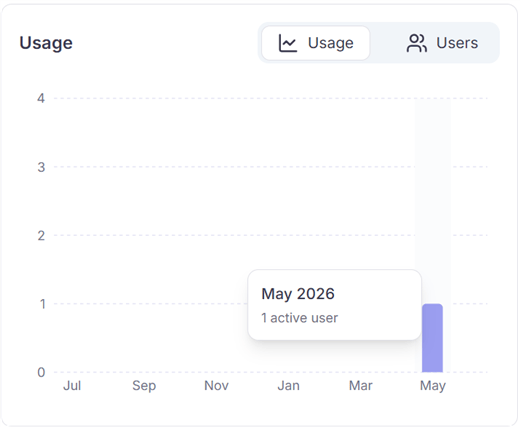
Toggle between two views:
* **Usage:** a chart showing activity volume over time (logins, OAuth events, etc.)
* **Users:** a list of every person using this subscription with their last activity date
## Usage
Toggle between two views:
* **Usage:** a chart showing activity volume over time (logins, OAuth events, etc.)
* **Users:** a list of every person using this subscription with their last activity date
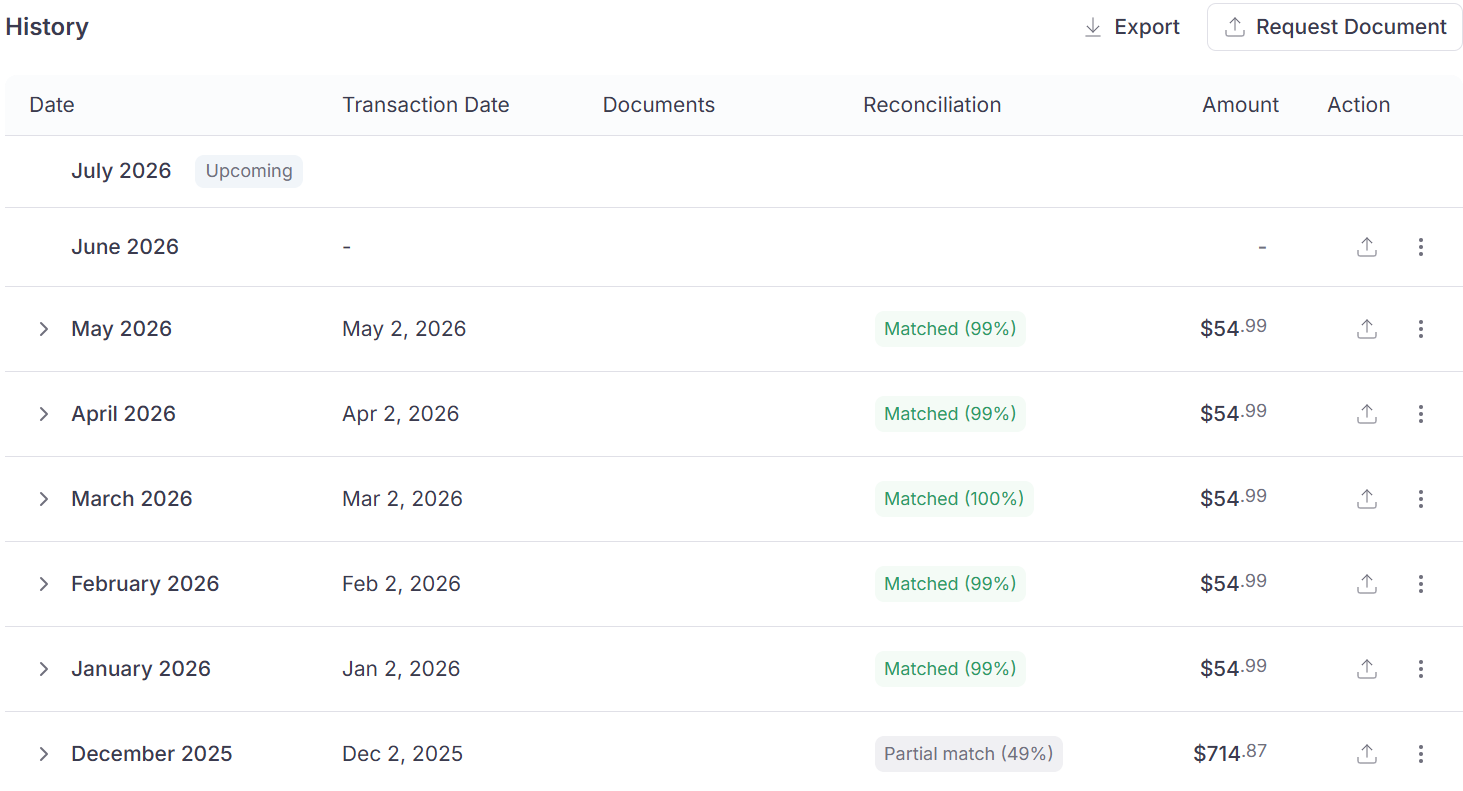
 ## History
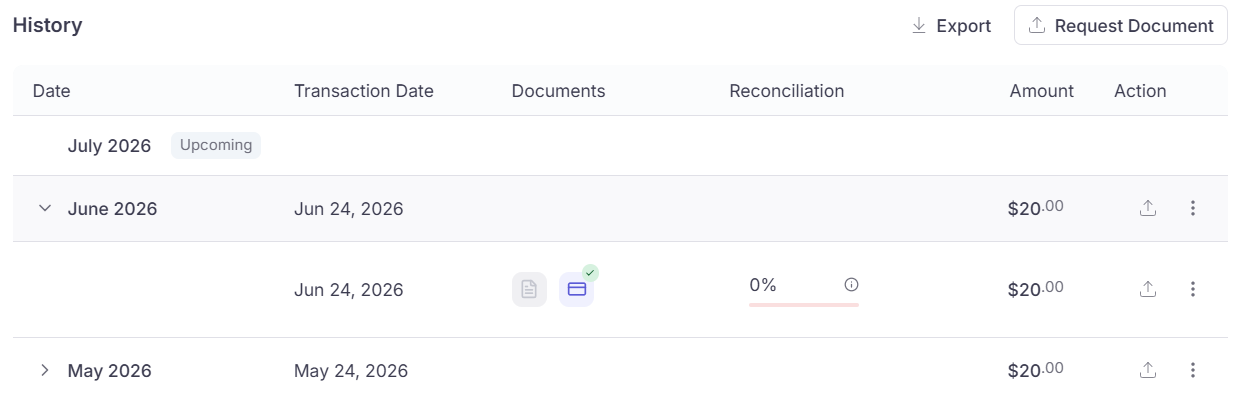
A per-month list of every charge, with columns:
| Column | Description |
| -------------------- | ------------------------------------------------- |
| **Month** | The billing period |
| **Transaction date** | The date the charge was processed |
| **Amount** | The amount charged |
| **Documents** | Invoices or receipts matched to this charge |
| **Reconcile status** | Whether the charge has been matched to a document |
| **Action** | Request a document, view matched files, etc. |
## History
A per-month list of every charge, with columns:
| Column | Description |
| -------------------- | ------------------------------------------------- |
| **Month** | The billing period |
| **Transaction date** | The date the charge was processed |
| **Amount** | The amount charged |
| **Documents** | Invoices or receipts matched to this charge |
| **Reconcile status** | Whether the charge has been matched to a document |
| **Action** | Request a document, view matched files, etc. |
 ### Reconcile status
| Status | Meaning |
| ------------------ | ---------------------------------------------------------------- |
| **Matched (100%)** | Every document for this period has been matched to a transaction |
| **Pending** | Documents are present but not yet fully reconciled |
### Reconcile status
| Status | Meaning |
| ------------------ | ---------------------------------------------------------------- |
| **Matched (100%)** | Every document for this period has been matched to a transaction |
| **Pending** | Documents are present but not yet fully reconciled |
 ## Something wrong?
| Symptom | What to do |
| --------------------------------------- | ----------------------------------------------------------------------------------------------------- |
| Reconcile stuck on Pending | Upload invoice for that month or [request missing invoices](/features/subscriptions-request-invoices) |
| Duplicate charges | [Duplicates and mark as transaction](/features/subscriptions-duplicate-entries) |
| Wrong category / missing from dashboard | Edit **Category** — [SaaS vs Non-SaaS](/features/dashboard#saas-spend-vs-non-saas-spend) |
| Tags or aliases | [Tags and aliases](/features/subscriptions-tags-aliases) |
## Something wrong?
| Symptom | What to do |
| --------------------------------------- | ----------------------------------------------------------------------------------------------------- |
| Reconcile stuck on Pending | Upload invoice for that month or [request missing invoices](/features/subscriptions-request-invoices) |
| Duplicate charges | [Duplicates and mark as transaction](/features/subscriptions-duplicate-entries) |
| Wrong category / missing from dashboard | Edit **Category** — [SaaS vs Non-SaaS](/features/dashboard#saas-spend-vs-non-saas-spend) |
| Tags or aliases | [Tags and aliases](/features/subscriptions-tags-aliases) |