> ## Documentation Index
> Fetch the complete documentation index at: https://docs.clearspend.ai/llms.txt
> Use this file to discover all available pages before exploring further.
# Introduction
> Learn what ClearSpend does and navigate to the right starting point.
ClearSpend aggregates every subscription, invoice, and renewal across your organization so you can see what you're paying for, who's using it, and what's coming up.
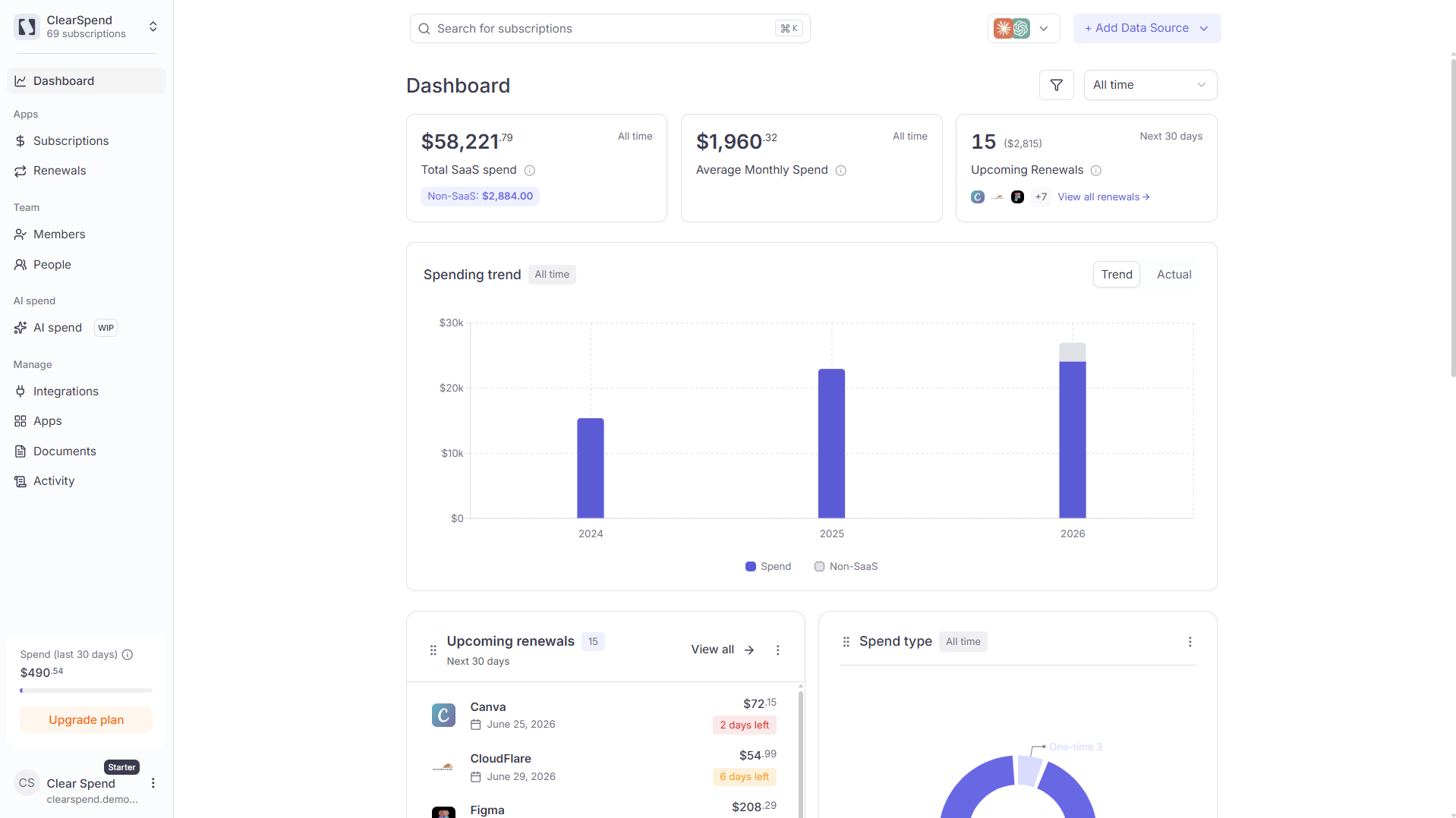 ## What ClearSpend does
| You'll know | Where to look |
| ------------------------------ | --------------------------------------------------------------------------------------- |
| What you're paying and to whom | [Subscriptions](/features/subscriptions) |
| What's about to renew | [Renewals](/features/renewals) / [Dashboard](/features/dashboard) |
| Who's actually using each tool | [Apps](/features/apps) / [People](/team/people) |
| Where invoices are missing | [Documents](/features/documents) / [Subscription detail](/features/subscription-detail) |
| Whether uploads are processing | [Activity](/features/activity) |
| How AI API usage breaks down | [AI Spend](/features/ai-spend) *(WIP)* |
Press ⌘K (or Ctrl K) anywhere in the app to open [global search](/reference/global-search) and jump to any subscription instantly.
## What ClearSpend does
| You'll know | Where to look |
| ------------------------------ | --------------------------------------------------------------------------------------- |
| What you're paying and to whom | [Subscriptions](/features/subscriptions) |
| What's about to renew | [Renewals](/features/renewals) / [Dashboard](/features/dashboard) |
| Who's actually using each tool | [Apps](/features/apps) / [People](/team/people) |
| Where invoices are missing | [Documents](/features/documents) / [Subscription detail](/features/subscription-detail) |
| Whether uploads are processing | [Activity](/features/activity) |
| How AI API usage breaks down | [AI Spend](/features/ai-spend) *(WIP)* |
Press ⌘K (or Ctrl K) anywhere in the app to open [global search](/reference/global-search) and jump to any subscription instantly.