> ## Documentation Index
> Fetch the complete documentation index at: https://docs.clearspend.ai/llms.txt
> Use this file to discover all available pages before exploring further.
# Global search
> Jump to any subscription from the header search bar using ⌘K or Ctrl+K.
Find a subscription by vendor name without scrolling the full table.
## When to use it
* You know the tool name (e.g. "Notion", "AWS")
* You need **last transaction** and **next billing** at a glance before opening detail
* You're triaging **Needs review** items that also appear in search results
## Open search
| Method | Action |
| ------------ | -------------------------------------------------------- |
| **Keyboard** | ⌘K (Mac) or Ctrl K (Windows/Linux) |
| **Mouse** | Click the search field in the top header |
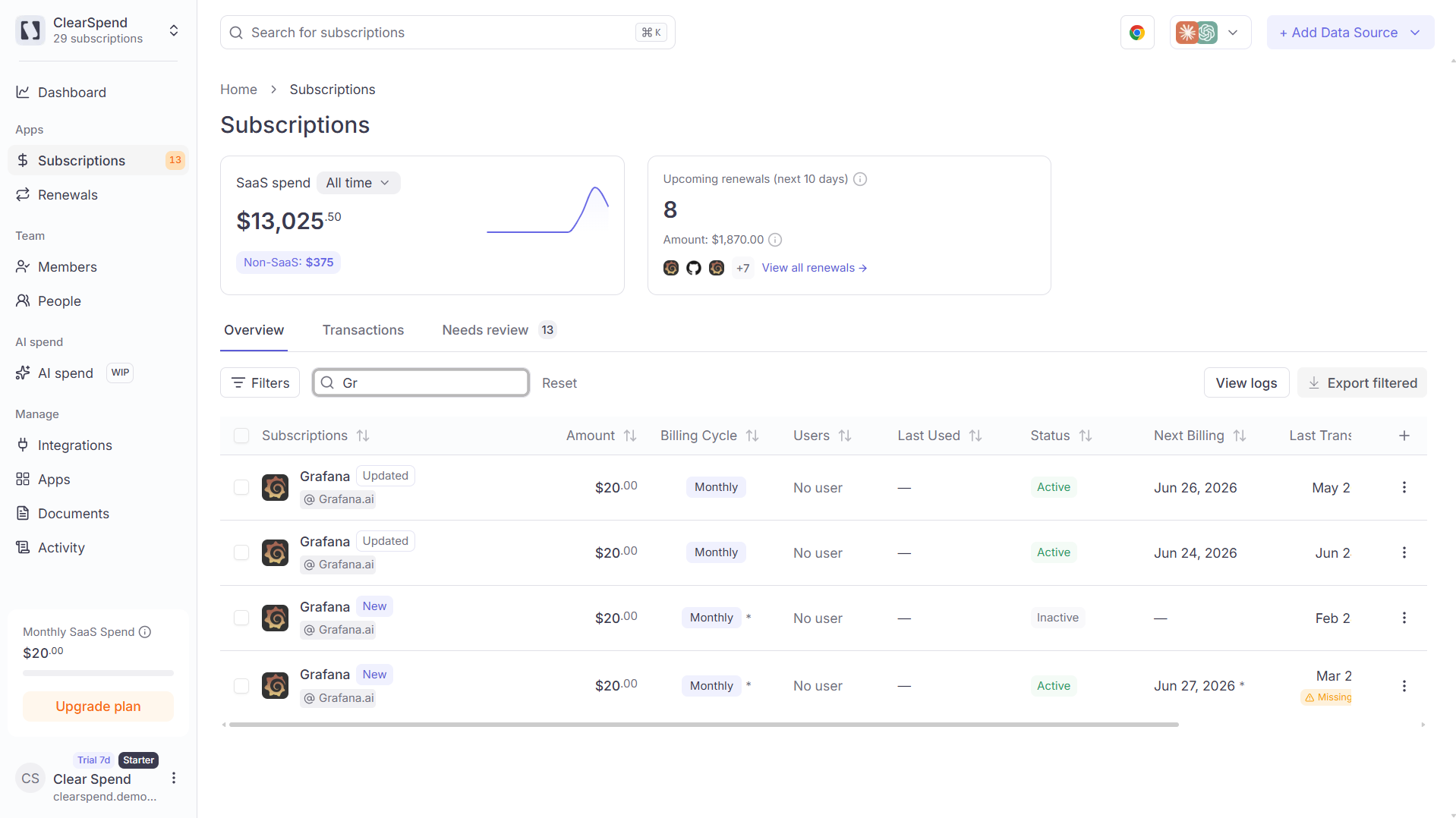 ## How search works
1. Type at least **two characters**
2. Results show logo, status, **Last transaction**, **Next billing**, and amount (Overview + Needs review rows)
3. Click a result or press Enter to open subscription detail
Search is scoped to your current **workspace** only — not documents, people, or settings.
## Something wrong?
| Symptom | What to do |
| ------------------ | ------------------------------------------------------------------- |
| No results | Type 2+ characters; check correct org in sidebar |
| Wrong subscription | Similar vendor names — use dates on each result row to disambiguate |
## Related
* [Keyboard shortcuts](/reference/shortcuts)
* [Subscriptions](/features/subscriptions)
* [Troubleshooting](/reference/troubleshooting#subscriptions)
## How search works
1. Type at least **two characters**
2. Results show logo, status, **Last transaction**, **Next billing**, and amount (Overview + Needs review rows)
3. Click a result or press Enter to open subscription detail
Search is scoped to your current **workspace** only — not documents, people, or settings.
## Something wrong?
| Symptom | What to do |
| ------------------ | ------------------------------------------------------------------- |
| No results | Type 2+ characters; check correct org in sidebar |
| Wrong subscription | Similar vendor names — use dates on each result row to disambiguate |
## Related
* [Keyboard shortcuts](/reference/shortcuts)
* [Subscriptions](/features/subscriptions)
* [Troubleshooting](/reference/troubleshooting#subscriptions)