> ## Documentation Index
> Fetch the complete documentation index at: https://docs.clearspend.ai/llms.txt
> Use this file to discover all available pages before exploring further.
# Slack notifications
> Renewal reminders, monthly digests, and invoice upload requests sent via Slack.
If your workspace has Slack connected, ClearSpend sends renewal and document alerts as Slack messages in addition to email. Messages include direct links back to ClearSpend.
Slack notifications go to the **Owner** only. Email notifications go to all recipients configured under [Settings → Notifications](/settings/notifications).
To connect Slack, go to **Integrations** and connect the Slack card. See [Slack integration](/connect/slack-integration).
## Renewal reminder
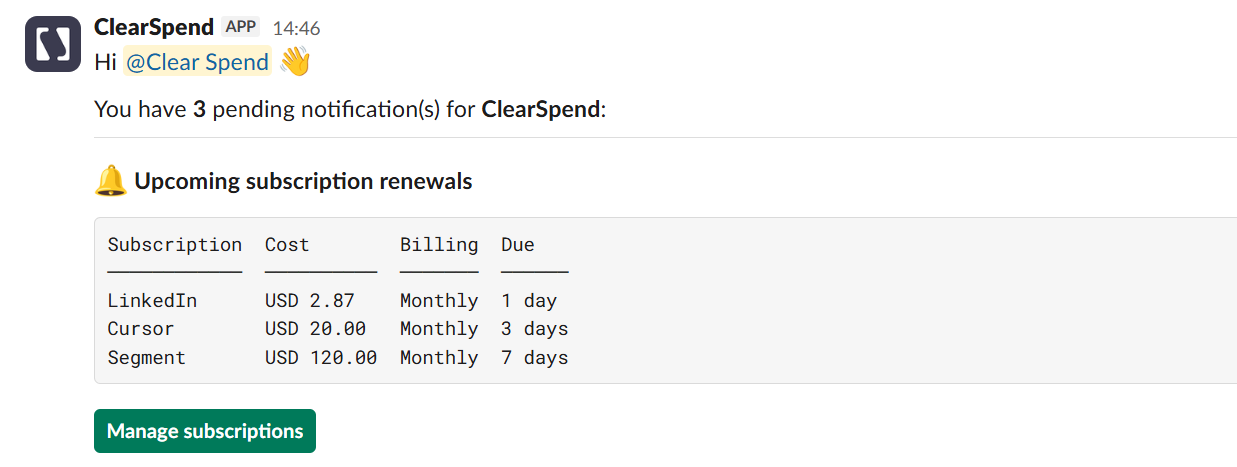 Sent when a renewal is 1, 3, 7, or 15 days away (based on your notification settings). Same details as the [upcoming renewal email](/settings/subscription-notifications#upcoming-renewal).
## Monthly renewal digest
Sent when a renewal is 1, 3, 7, or 15 days away (based on your notification settings). Same details as the [upcoming renewal email](/settings/subscription-notifications#upcoming-renewal).
## Monthly renewal digest
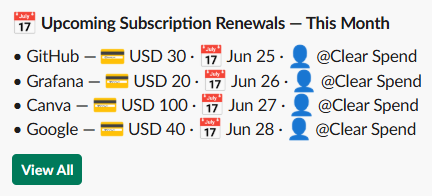 At the start of each month, ClearSpend posts **Upcoming Subscription Renewals — This Month** in your configured channel.
## Invoice upload request
At the start of each month, ClearSpend posts **Upcoming Subscription Renewals — This Month** in your configured channel.
## Invoice upload request
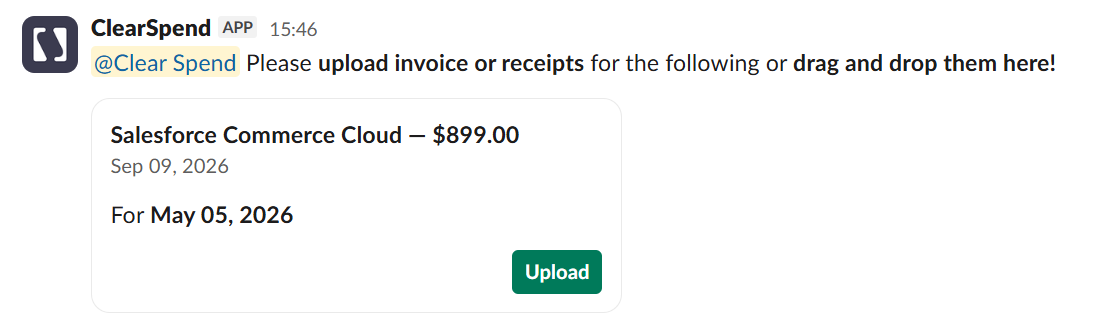 When someone selects **Request Invoices** on a subscription, ClearSpend sends a Slack message asking for the invoice or receipt. Use **Upload** or drag and drop files into the thread.
## Related
* [Email notifications](/settings/subscription-notifications)
* [Slack integration](/connect/slack-integration)
* [Settings → Notifications](/settings/notifications)
When someone selects **Request Invoices** on a subscription, ClearSpend sends a Slack message asking for the invoice or receipt. Use **Upload** or drag and drop files into the thread.
## Related
* [Email notifications](/settings/subscription-notifications)
* [Slack integration](/connect/slack-integration)
* [Settings → Notifications](/settings/notifications)