> ## Documentation Index
> Fetch the complete documentation index at: https://docs.clearspend.ai/llms.txt
> Use this file to discover all available pages before exploring further.
# Email notifications
> Understand the emails ClearSpend sends for upcoming renewals, monthly summaries, and invoice upload requests.
ClearSpend sends notification emails automatically. Each email goes to the recipients configured under [Settings → Notifications](/settings/notifications). If you've connected Slack, the workspace **Owner** also receives renewal and document alerts in Slack.
## Upcoming renewal
**Trigger:** the renewal date is 1, 3, 7, or 15 days away (whichever cadences you've enabled).
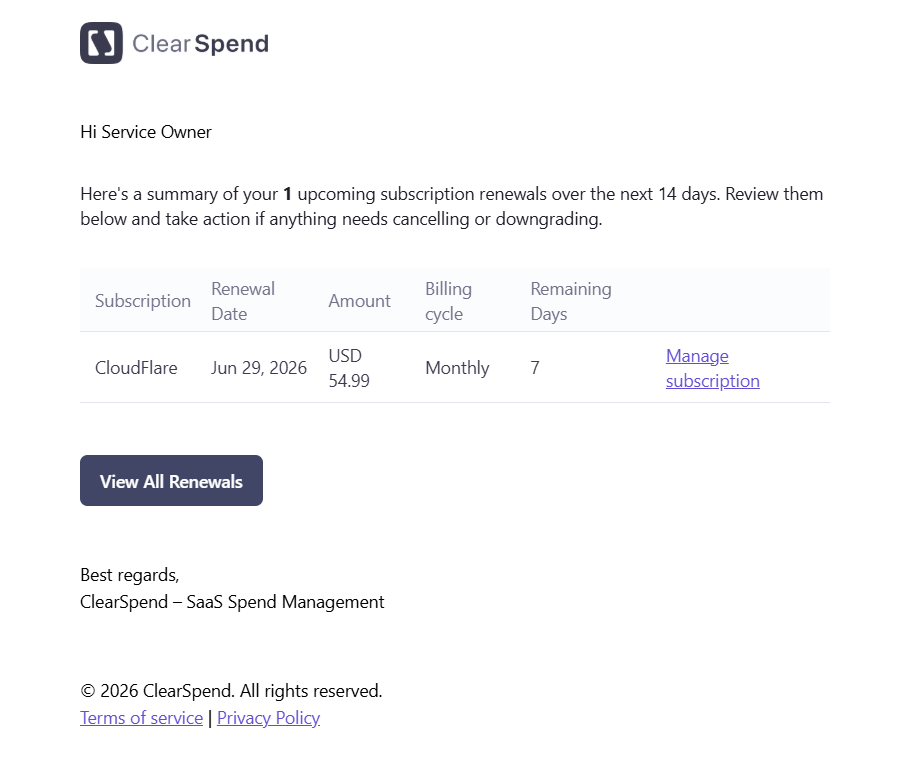 The email includes:
* **Subscription:** the subscription name
* **Amount:** the expected charge
* **Billing Cycle:** Monthly, Quarterly, Semi-Annually, Yearly, or One-time
* **Remaining Days:** days until the renewal date
* **View all Upcoming Renewals** button: links directly to the Renewals page in ClearSpend
No action is required if you're okay with the renewal. The email is a heads-up so you can review, downgrade, or cancel before the charge hits.
You can change which intervals trigger this email under [Settings → Notifications](/settings/notifications). Many teams enable both 7 days (for planning) and 1 day (as a final check).
## Monthly summary
**Trigger:** sent on the **1st of each month**.
The email includes:
* **Subscription:** the subscription name
* **Amount:** the expected charge
* **Billing Cycle:** Monthly, Quarterly, Semi-Annually, Yearly, or One-time
* **Remaining Days:** days until the renewal date
* **View all Upcoming Renewals** button: links directly to the Renewals page in ClearSpend
No action is required if you're okay with the renewal. The email is a heads-up so you can review, downgrade, or cancel before the charge hits.
You can change which intervals trigger this email under [Settings → Notifications](/settings/notifications). Many teams enable both 7 days (for planning) and 1 day (as a final check).
## Monthly summary
**Trigger:** sent on the **1st of each month**.
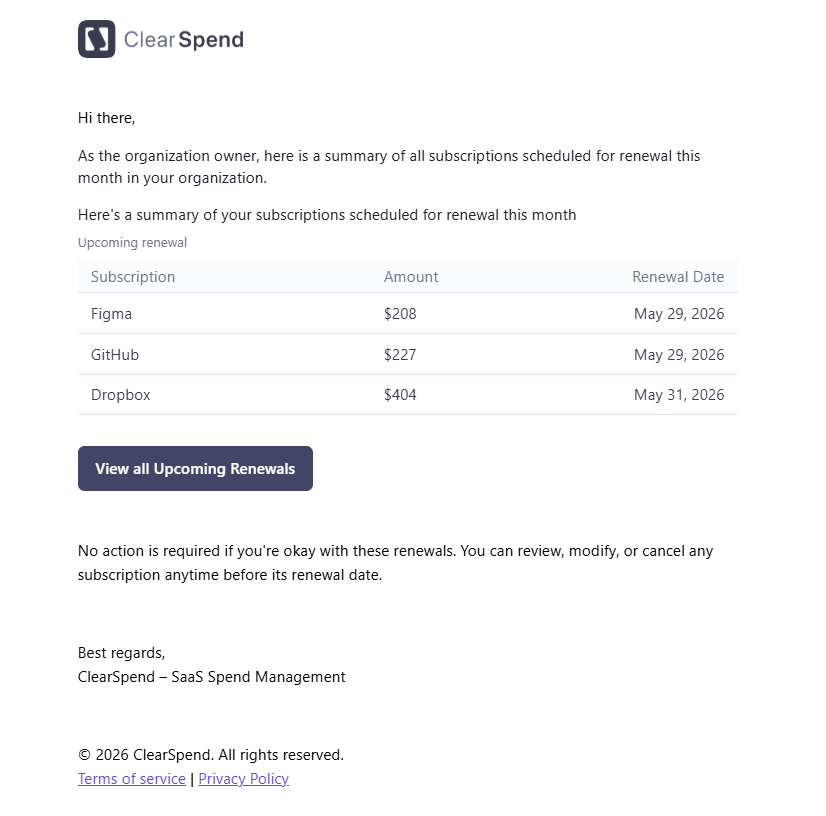 The email includes:
* A table of **renewals scheduled for that month** with subscription name, amount, and renewal date
A **View all Upcoming Renewals** button links directly to the Renewals page in ClearSpend.
## Invoice upload notification
**Trigger:** when someone requests an invoice or receipt from an owner on [Transactions](/features/transactions-request-invoices).
The email includes:
* A table of **renewals scheduled for that month** with subscription name, amount, and renewal date
A **View all Upcoming Renewals** button links directly to the Renewals page in ClearSpend.
## Invoice upload notification
**Trigger:** when someone requests an invoice or receipt from an owner on [Transactions](/features/transactions-request-invoices).
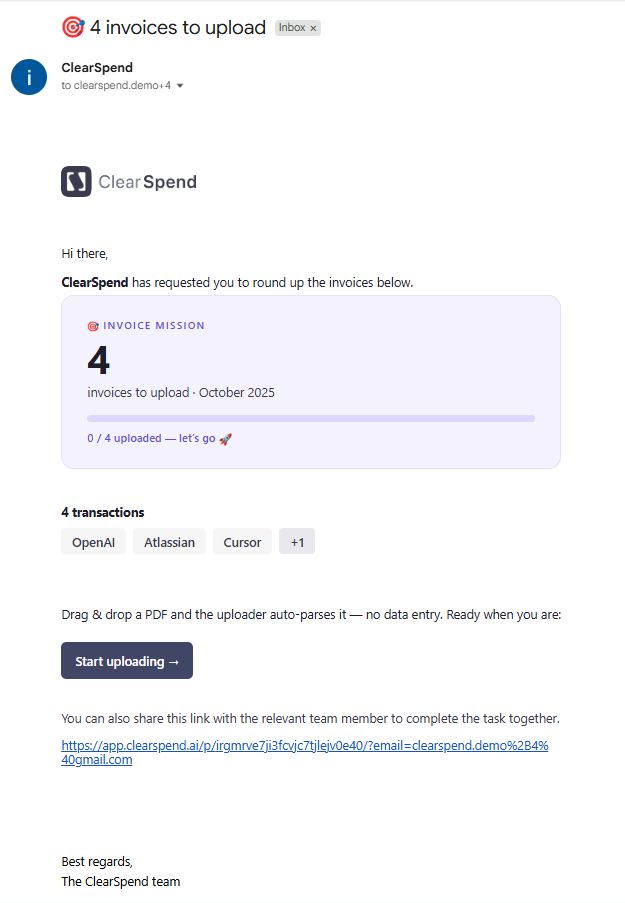 The email asks the recipient to upload proof and includes a **public upload link**. Recipients do not need a ClearSpend account. They only see the charges they were asked about.
What to know:
* The first request goes out when the ask is sent
* If proof is still missing, ClearSpend sends a **reminder every 24 hours** until a file is attached
* Follow-up emails stop once the charge is matched to an invoice or receipt
See [Request invoices](/features/transactions-request-invoices#request-notifications) for how requests work and what recipients receive.
For Slack alerts, see [Slack notifications](/settings/subscription-notifications-slack).
The email asks the recipient to upload proof and includes a **public upload link**. Recipients do not need a ClearSpend account. They only see the charges they were asked about.
What to know:
* The first request goes out when the ask is sent
* If proof is still missing, ClearSpend sends a **reminder every 24 hours** until a file is attached
* Follow-up emails stop once the charge is matched to an invoice or receipt
See [Request invoices](/features/transactions-request-invoices#request-notifications) for how requests work and what recipients receive.
For Slack alerts, see [Slack notifications](/settings/subscription-notifications-slack).