> ## Documentation Index
> Fetch the complete documentation index at: https://docs.clearspend.ai/llms.txt
> Use this file to discover all available pages before exploring further.
# People
> See every person discovered across your integrations and review their app usage before inviting them to ClearSpend.
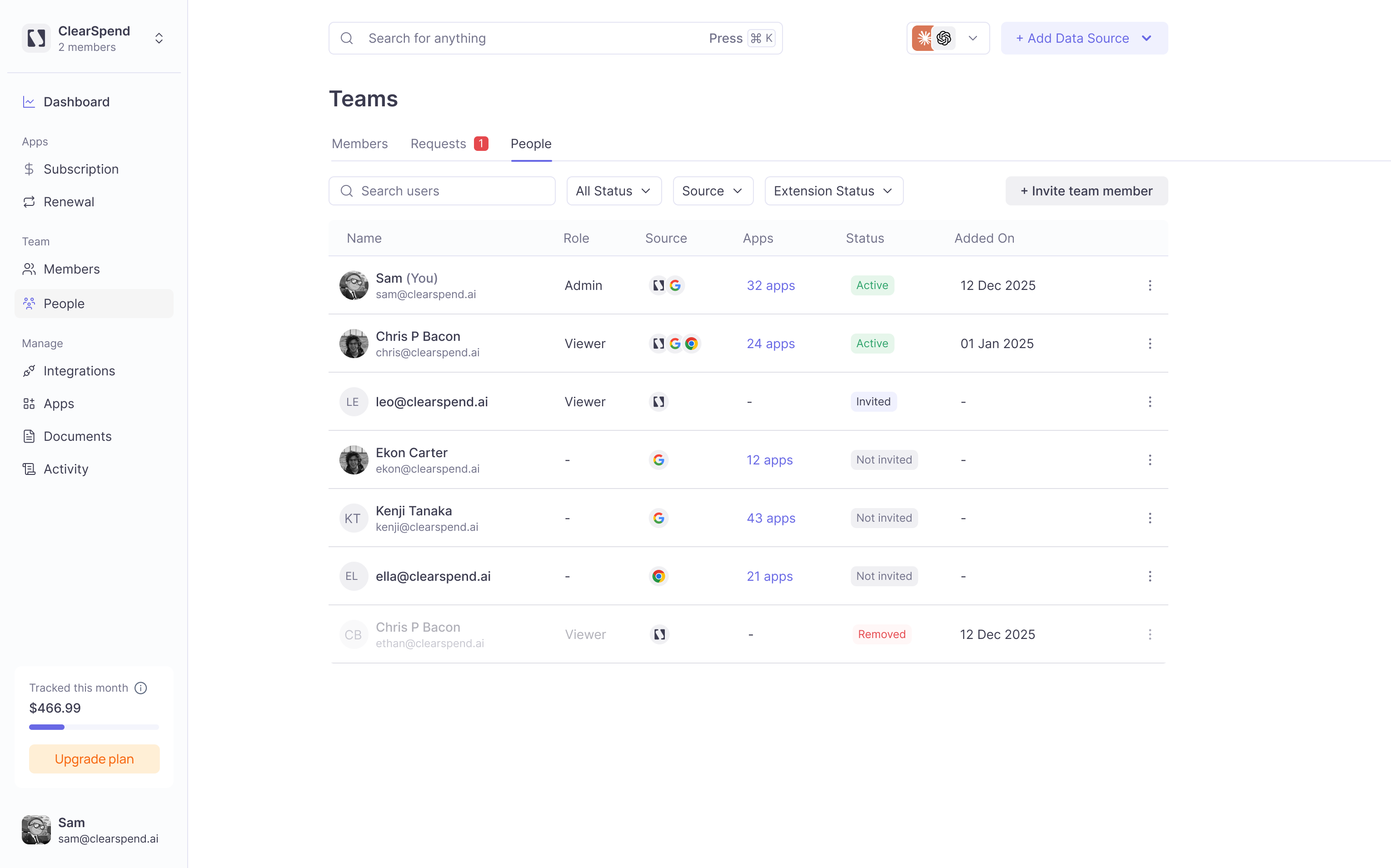
The **People** page lists every person discovered through your connected integrations: your Google Workspace directory, the ClearSpend Chrome extension, and other sources.
This view is broader than **Members**: it includes people who use software in your organization but don't have a ClearSpend login yet.
 ## Table columns
| Column | Description |
| -------------- | ----------------------------------------------------------------------------------------------- |
| **Name** | Display name and email address |
| **Last login** | When the person last signed in to Google Workspace (shown as relative time, e.g. "7 days ago"). |
| **Storage** | Google Workspace storage used by this person. |
| **Apps** | Number of apps this person is active in (shown as a clickable link). |
| **Status** | Current status in the workspace |
| **Synced on** | Date the person was last synced from Google Workspace. |
## Status values
| Status | Meaning |
| ------------- | ------------------------------------- |
| **Active** | Person has an active ClearSpend login |
| **Inactive** | Inactive Google Workspace account |
| **Suspended** | Suspended Google Workspace account |
| **Removed** | Previously had access, now removed |
## Apps used by
Clicking the **Apps** count for any user opens an **Apps used by** modal.
## Table columns
| Column | Description |
| -------------- | ----------------------------------------------------------------------------------------------- |
| **Name** | Display name and email address |
| **Last login** | When the person last signed in to Google Workspace (shown as relative time, e.g. "7 days ago"). |
| **Storage** | Google Workspace storage used by this person. |
| **Apps** | Number of apps this person is active in (shown as a clickable link). |
| **Status** | Current status in the workspace |
| **Synced on** | Date the person was last synced from Google Workspace. |
## Status values
| Status | Meaning |
| ------------- | ------------------------------------- |
| **Active** | Person has an active ClearSpend login |
| **Inactive** | Inactive Google Workspace account |
| **Suspended** | Suspended Google Workspace account |
| **Removed** | Previously had access, now removed |
## Apps used by
Clicking the **Apps** count for any user opens an **Apps used by** modal.
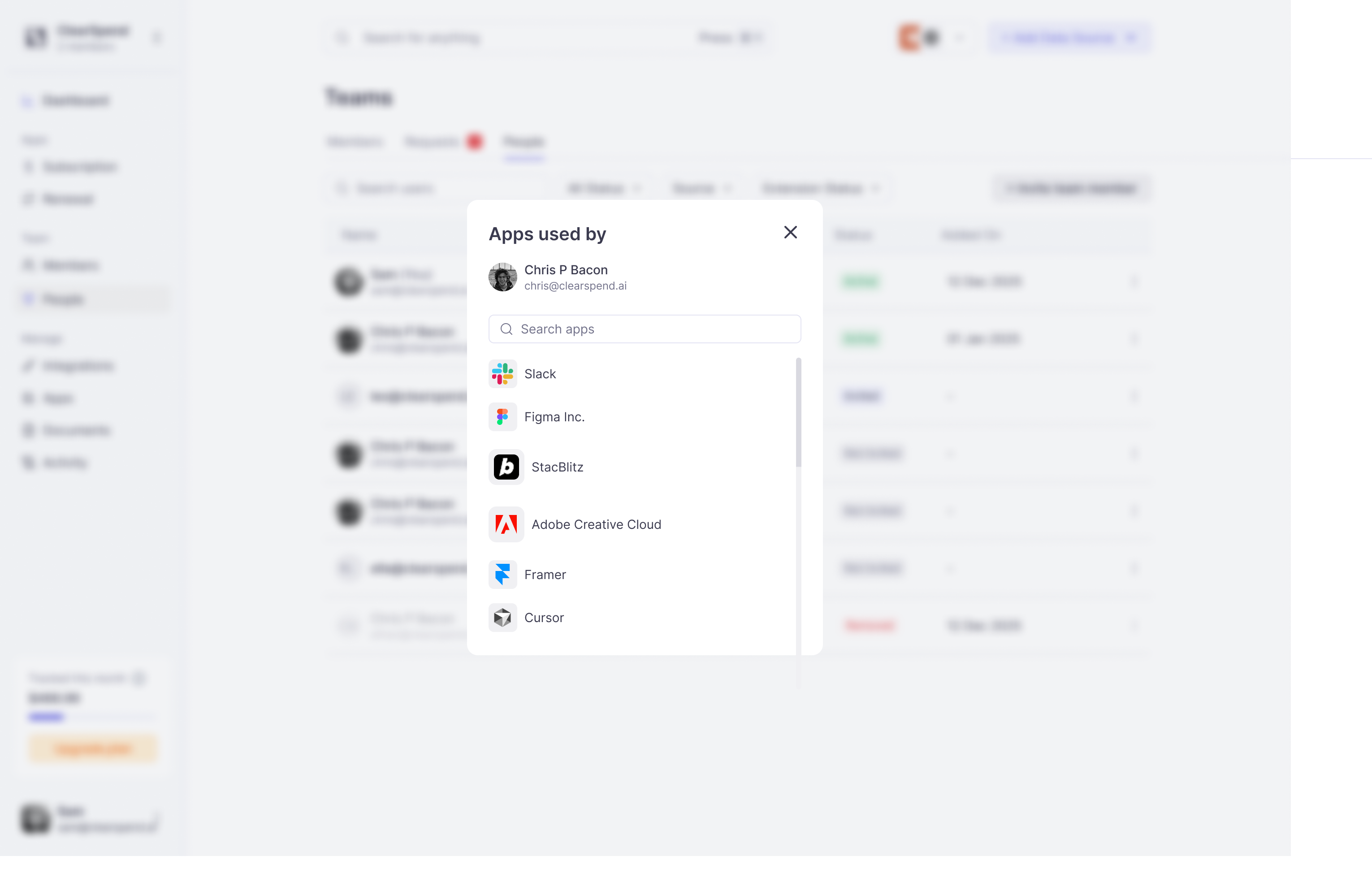 The modal shows:
* The user's name and email
* A search field to filter apps
* A list of every app they use with the app logo, name, and:
* **Last activity**: when they were last seen using the app (e.g. "3 hrs ago") via the Chrome extension
* **Source icon**: which integration reported this usage (extension or Google Workspace)
Use this to review a person's full software footprint before offboarding or auditing licenses.
## Read-only by design
This view doesn't grant logins; it's purely for visibility. To give someone access to ClearSpend, [invite them as a member](/team/members#inviting) from the Members tab.
Use the **Extension Status** filter to see which of your users have the ClearSpend Chrome extension installed. Users with the extension provide the most granular usage data.
The modal shows:
* The user's name and email
* A search field to filter apps
* A list of every app they use with the app logo, name, and:
* **Last activity**: when they were last seen using the app (e.g. "3 hrs ago") via the Chrome extension
* **Source icon**: which integration reported this usage (extension or Google Workspace)
Use this to review a person's full software footprint before offboarding or auditing licenses.
## Read-only by design
This view doesn't grant logins; it's purely for visibility. To give someone access to ClearSpend, [invite them as a member](/team/members#inviting) from the Members tab.
Use the **Extension Status** filter to see which of your users have the ClearSpend Chrome extension installed. Users with the extension provide the most granular usage data.