

When to use it
- You uploaded files and want to confirm they are processing
- A sync finished and you want to see what changed
- A charge still needs an invoice and you want to see match attempts
- You are checking one subscription’s recent history
List vs By Subscription
Use the toggle in the top right to change how events are organised:
List is best for scanning the whole workspace. By Subscription is best when you are investigating one vendor.
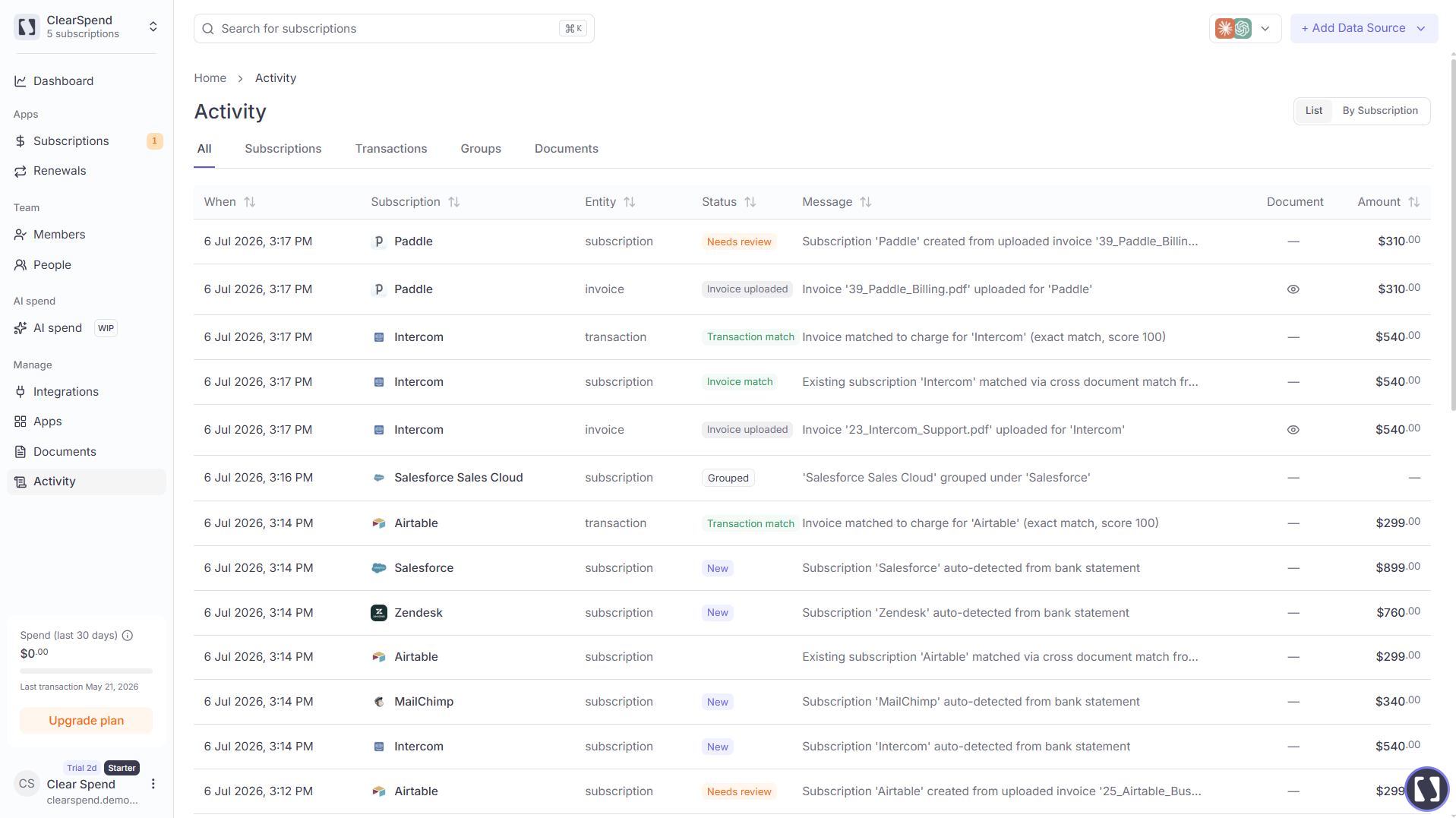
The Activity page in List view, with filter tabs and a sortable table.
Filter tabs
Filter tabs appear in List view only:
To focus on one vendor in List view, hover the subscription name and click the filter icon. A chip like Subscription: Notion appears at the top — clear it with X.
Table columns
Sort by When, Entity, or Status. Results paginate (about 30 per page by default).