

Work in progress. AI Spend is available in the app but still marked WIP in the sidebar. Features and layout may change between releases. Not every workspace sees the nav item yet — open
/{orgId}/ai-spend directly if your role has access.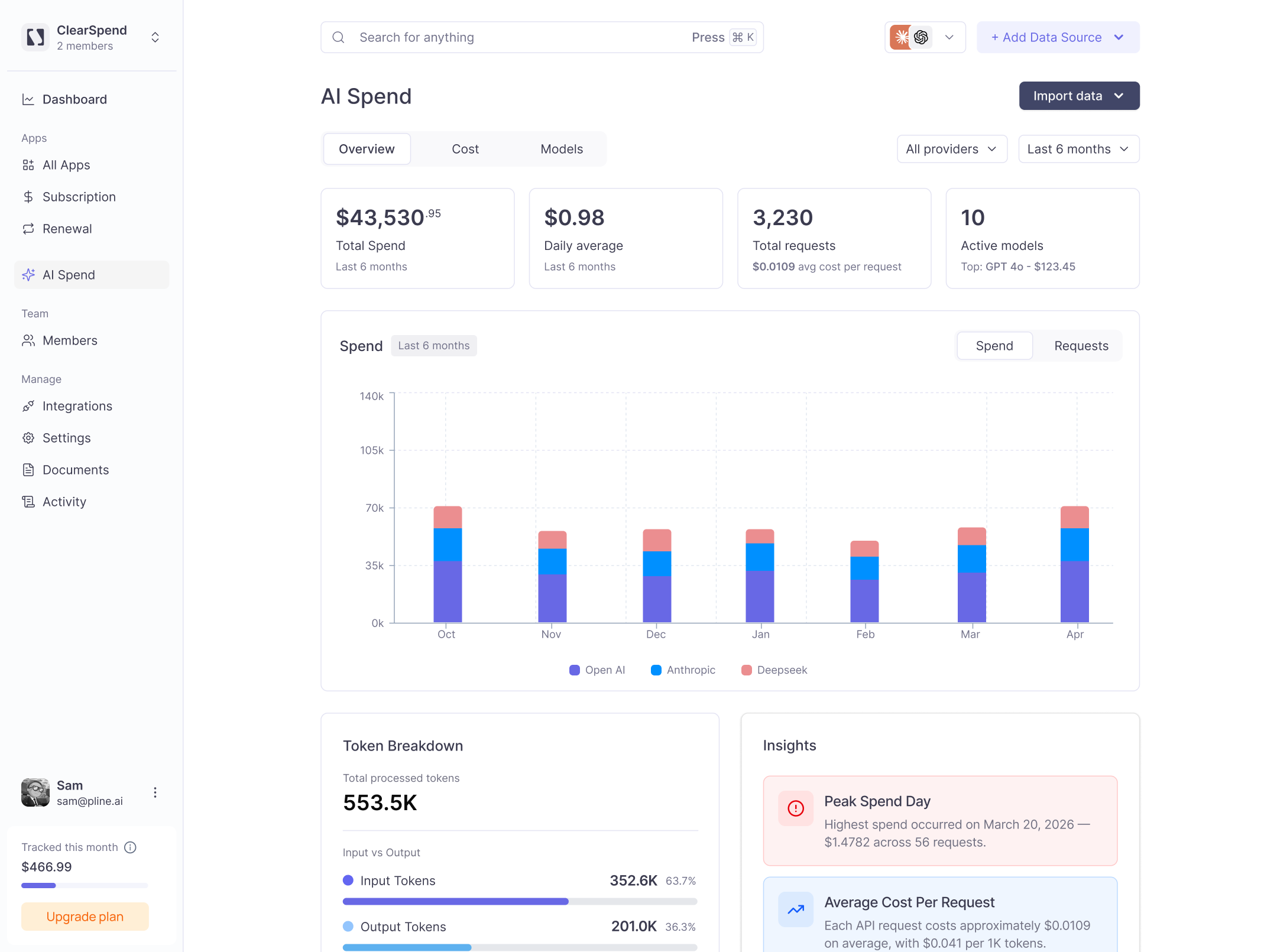
The AI Spend dashboard: total spend, daily average, request volume, and active models across all providers.
KPIs
Four cards anchor the top of the AI Spend page:Providers
OpenAI, Anthropic, and Google Gemini are supported. Use the All providers filter to scope the dashboard to a single vendor. Use the date filter (e.g. Last 6 months) to adjust the time window.Tabs
Spend chart
The Spend bar chart shows monthly spend stacked by provider. Use it to see which vendors are growing month over month.Token breakdown
Shows total processed tokens split between Input Tokens and Output Tokens, with percentage share for each.Insights
Automated callouts surface key findings such as:- Peak Spend Day: the single highest-cost day and how much was spent across how many requests.
- Average Cost Per Request: the mean cost per API call and the cost per 1K tokens.
Importing usage
Click Add data in the top-right to upload a CSV export from your AI provider. ClearSpend auto-routes the file based on its schema when possible. For providers that require column mapping, use Manage import labels (/{orgId}/ai-spend/labels) to map CSV columns to your workspace entities before import.