

KPI cards

Transactions Overview KPIs: Total charges, Avg monthly, and Reconciliation.
The header shows Last transaction, the most recent charge ClearSpend processed.
Reconciliation chart
The Reconciliation donut shows matched vs unmatched charges. Click a segment to open Transactions filtered to that status.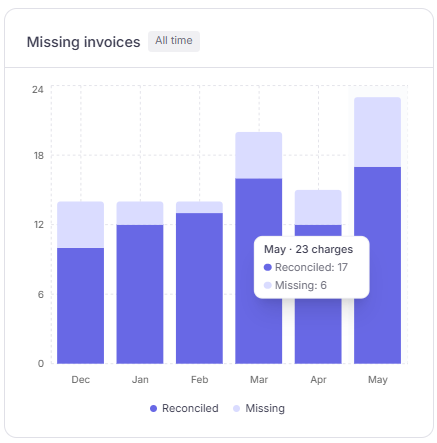
Reconciliation: matched vs unmatched charges for the selected period.
Missing invoices trend
The Missing invoices chart breaks reconciliation down by month. Use it to spot periods that need follow-up.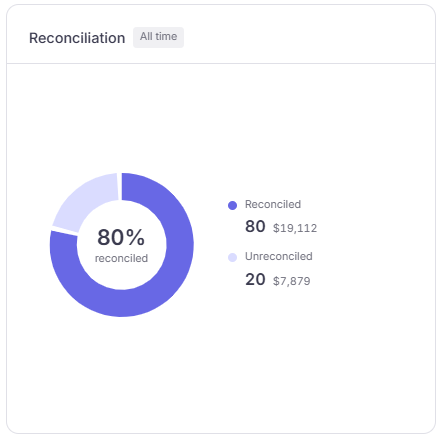
Missing invoices: reconciled vs missing proof by month.
Date filter
Change the period in the header (same presets as the dashboard). All KPIs and charts update together.When to use Transactions Overview
For row-by-row reconciliation work, use Transactions.