

Where charges come from
Rows appear when charges are imported into ClearSpend. Uploading an invoice or receipt alone does not create a transaction row; charges must come from a connected source or statement import.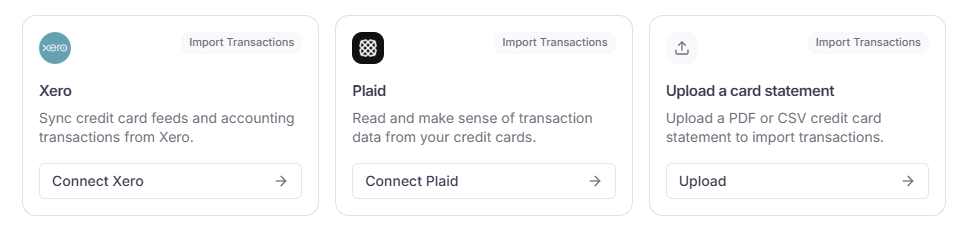
Import transactions sources: connect Xero or Plaid, or upload a card statement.
List columns
Use Filters to narrow the list by reconcile status, owner, type, or date. Use the search bar for vendor or description text.
Transaction detail
Click a row to open the detail panel for that charge. Review and edit fields here without leaving the list. Use Back and Next at the bottom to move through rows.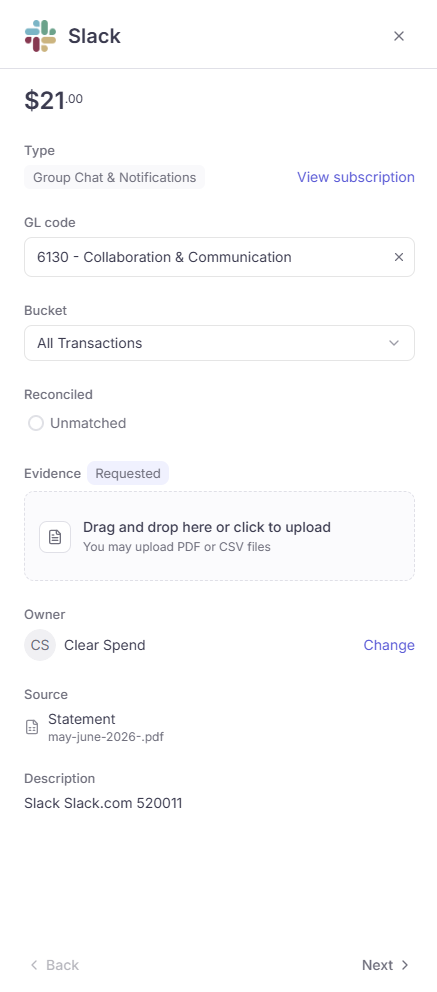
Transaction detail: type, GL code, bucket, match status, evidence, owner, source, and description.
If a push to Xero failed, a Sync error field also appears. See Sync to accounting.
Evidence column status
The Evidence column shows whether a charge has supporting documentation.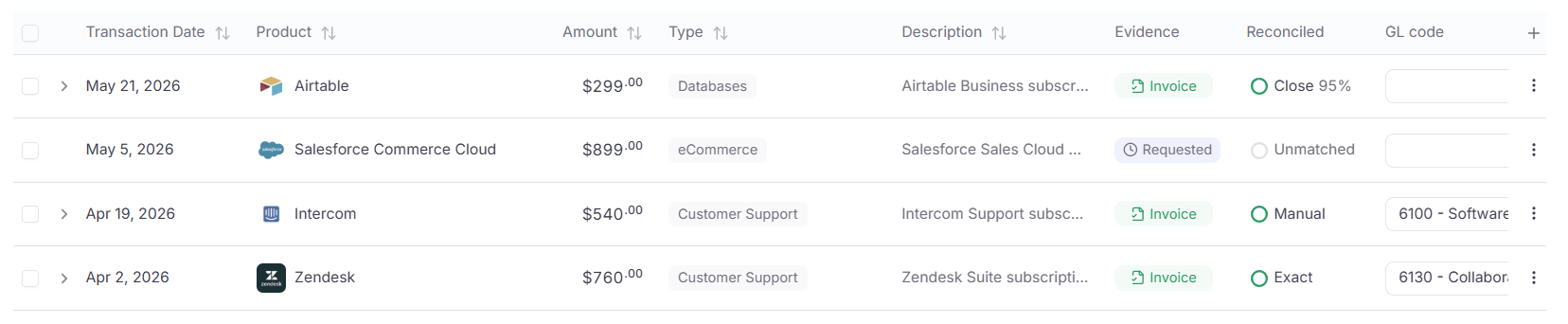
Evidence status on Transactions: Missing, Invoice, and Requested.
Vendor name
Click the sparkles icon next to the vendor in Product to set or correct the vendor name. ClearSpend shows suggestions based on the charge description. You can also search manually. Use this when the vendor is missing, wrong, or needs to be corrected, including on rows that already have a vendor assigned. Correct vendor names improve matching, subscription grouping, and reporting.Invoice line items
When a charge is matched to an invoice, click the arrow next to the transaction date to expand the row.
Expanded transaction row: invoice line items with product, type, quantity, price, and subtotal.