

Organization setup
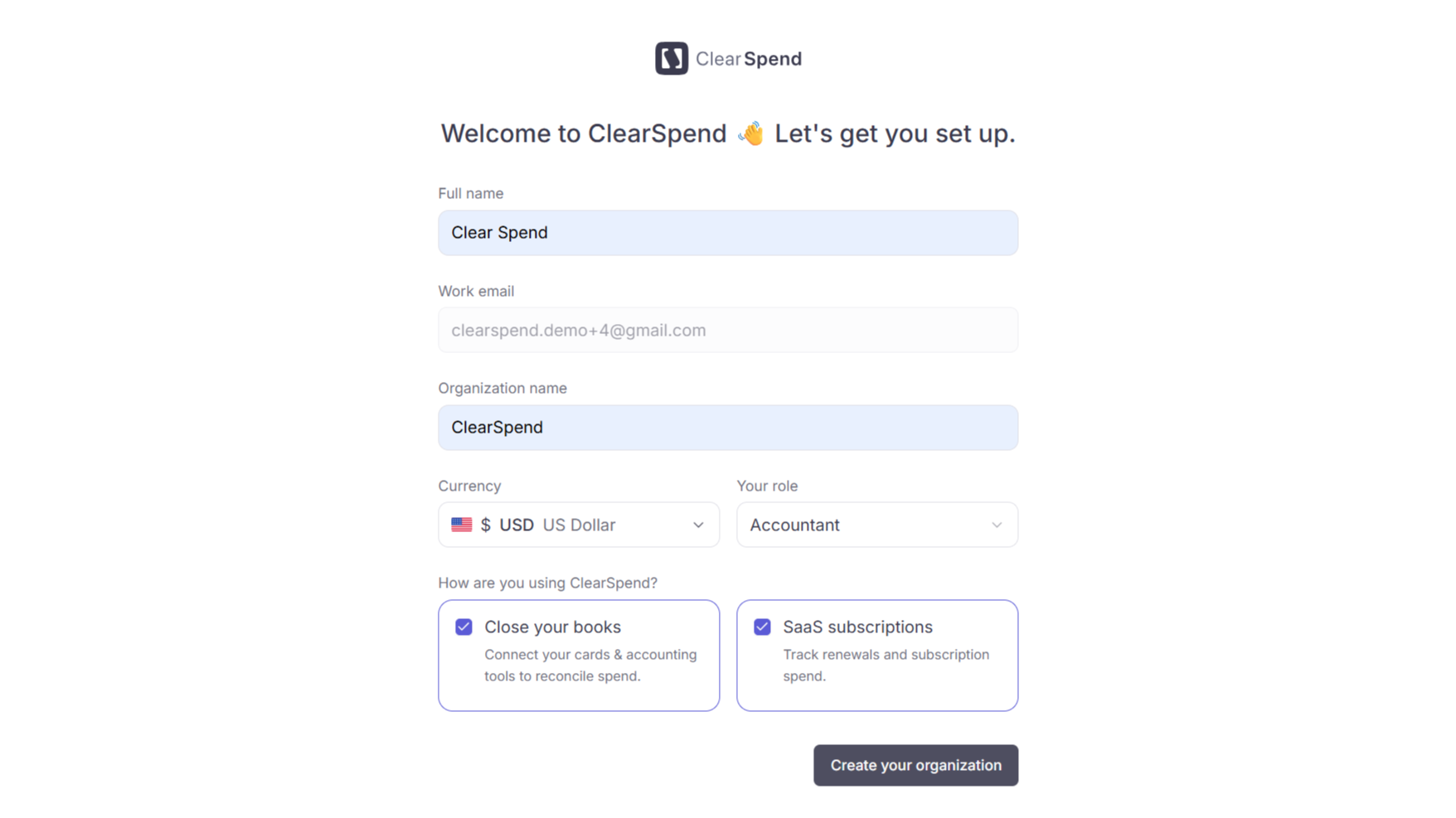
Organization setup: enter your profile details, pick your currency and role, then choose how you’ll use ClearSpend.
Under How are you using ClearSpend?, pick one or both options:
Click Create your organization. ClearSpend creates your workspace and sends you to the dashboard.
Already part of an existing organization? If a colleague signed up with the same company domain first, you may be routed to Request to join instead of creating a new workspace.
Get started
The dashboard shows Get started while your workspace is still being set up. Add a transaction source, then invoices or receipts to match spend automatically.1
Connect a transaction source
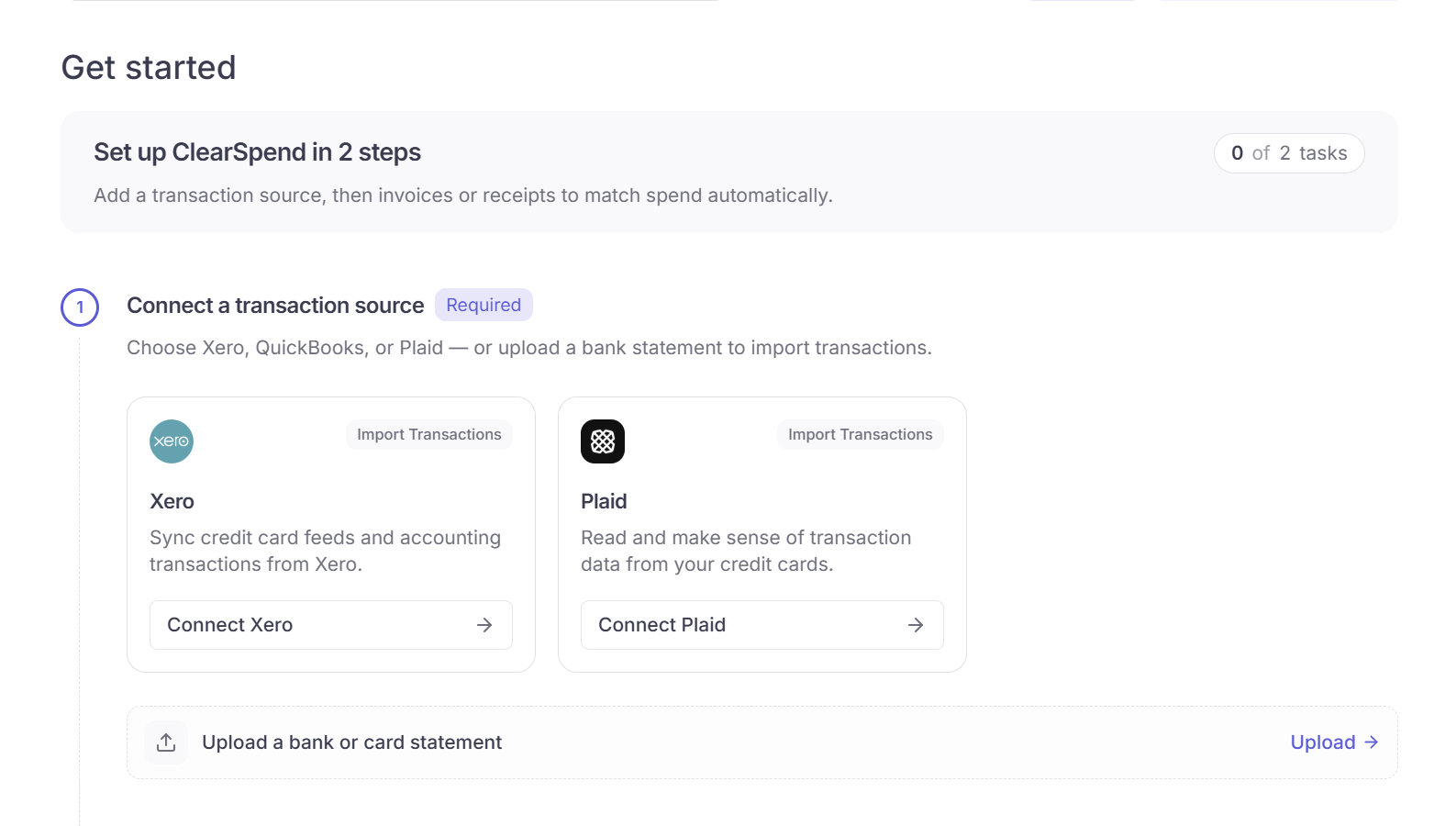
Get started step 1: connect Xero or Plaid, or upload a bank or card statement.
Imported charges appear on Transactions.
2
Add invoices or receipts
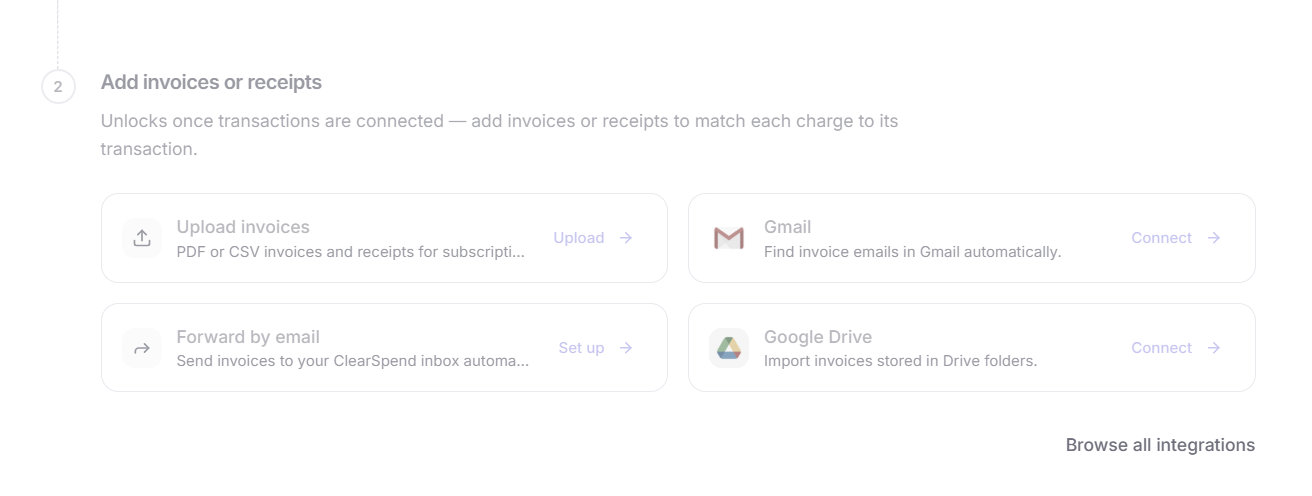
Get started step 2: upload invoices, or connect Gmail, email forward, or Google Drive.
You can add more sources later from Browse all integrations.Files land in Files & Documents. ClearSpend reads vendor, amount, and date, then matches them to charges on Transactions.