

Where to look
Channels
Turn Email notifications on or off with the switch. When email is on, ClearSpend sends renewal reminders and related alerts to the recipients you configure below.What you get notified about
Renewal reminders
Pick one or more lead times:- 1 day before
- 3 days before
- 7 days before
- 15 days before
Monthly summary
At the start of each month, ClearSpend emails every subscription set to renew that month: vendor, amount, and renewal date. You can review the month without opening the app.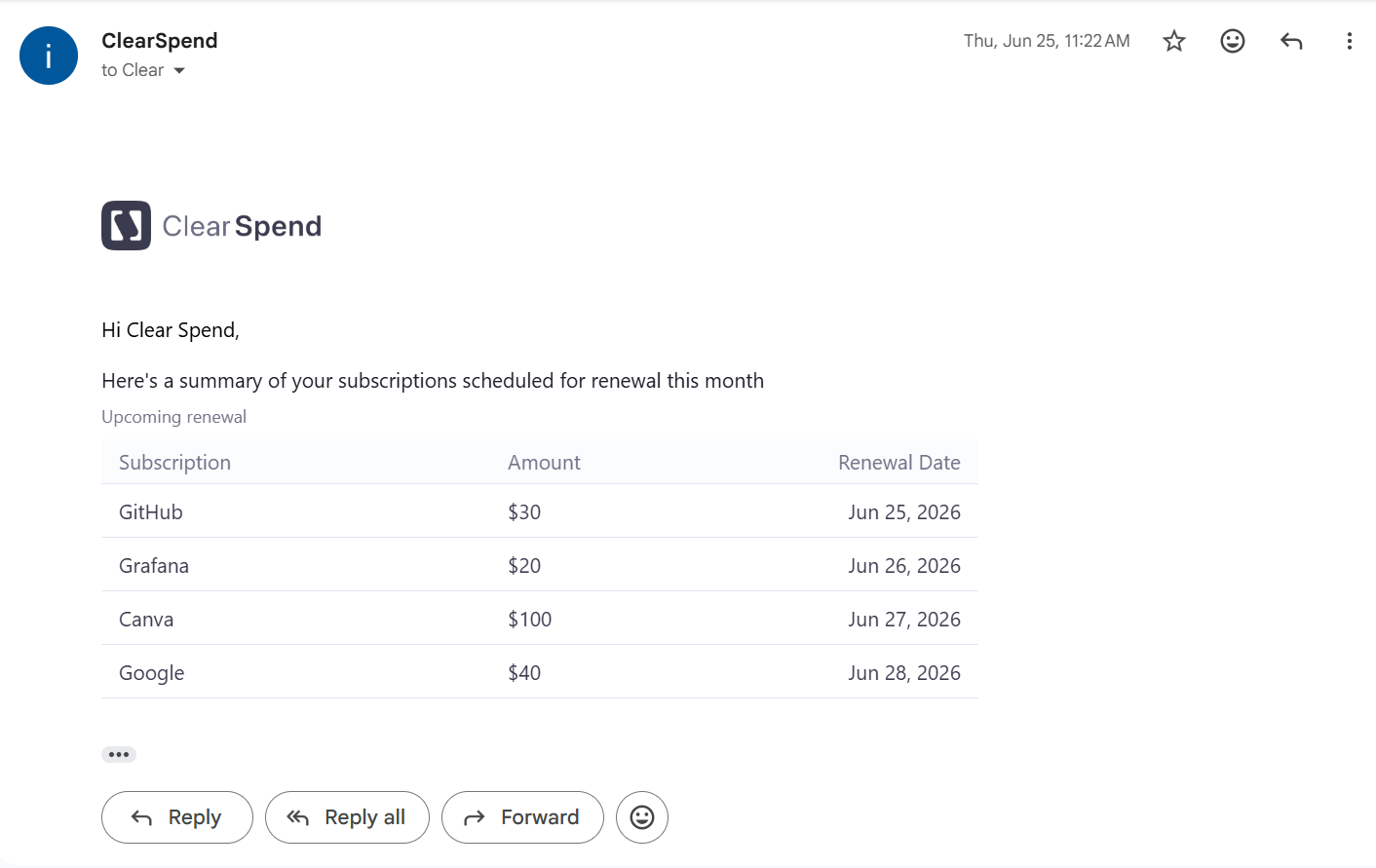
Monthly summary email: upcoming renewals with subscription name, amount, and renewal date.
Slack
Connect Slack from Integrations, not this tab. After it is connected, the workspace Owner also gets renewal alerts in Slack. See Slack to connect, and Slack notifications for message examples.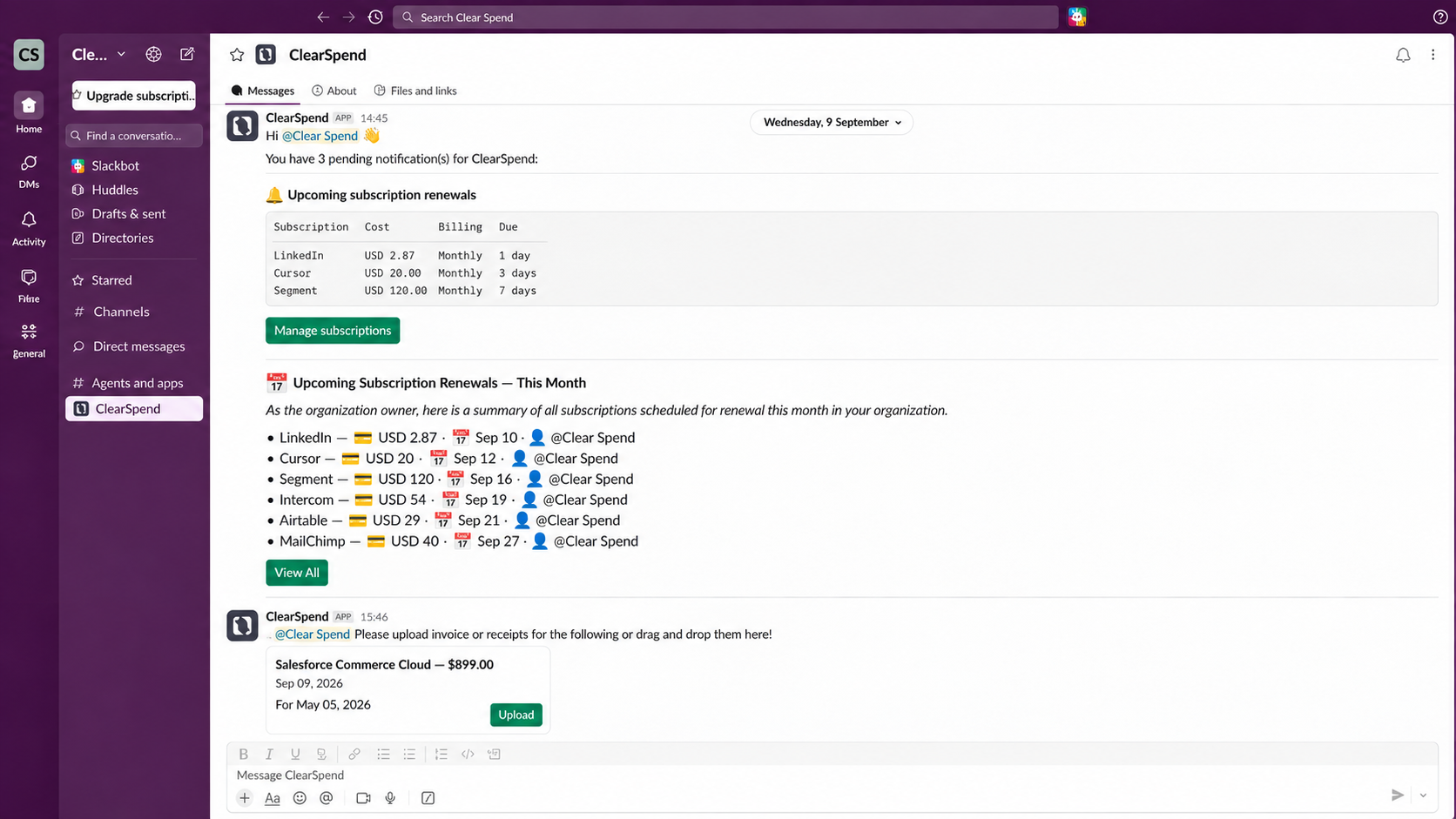
Slack notifications: invoice upload requests and upcoming renewal reminders.