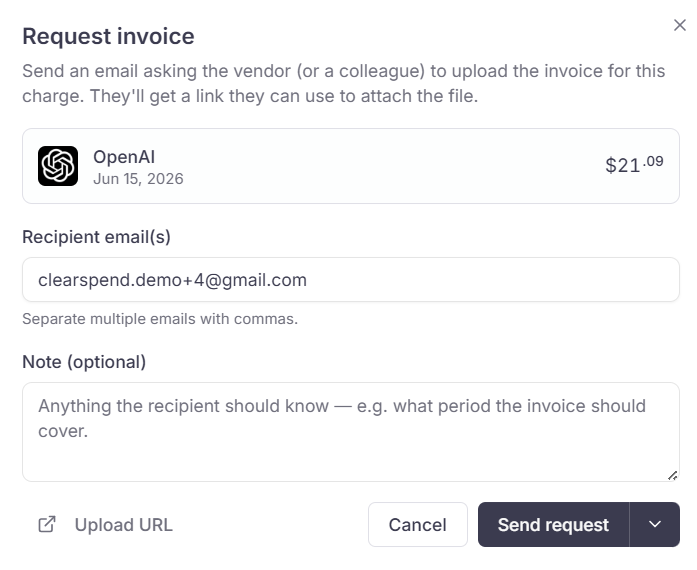
Email subscription owners a secure upload link for the months you select. Use a single subscription, or run a bulk request from the Subscriptions toolbar when many vendors are missing invoices in the same period.Documentation Index
Fetch the complete documentation index at: https://docs.clearspend.ai/llms.txt
Use this file to discover all available pages before exploring further.
Ways to send a request
| Flow | Where to start | Best for |
|---|---|---|
| Single subscription | Subscription detail → Request documents (or Request invoice in history) | One vendor, selected months |
| Bulk by period | Subscriptions → Request missing invoices (toolbar dropdown) | Many subscriptions missing docs in the current month, prior months, or last 6 months |
Bulk request from Subscriptions
Open Request missing invoices
On Subscriptions, click Request missing invoices in the toolbar. The menu shows counts for the current month, the two prior calendar months, Last 6 months, and Custom (date range).
Pick a time range
Choose the option that matches the gaps you are chasing. ClearSpend pre-selects subscriptions that are missing invoices in that window.
Review the dialog
The bulk dialog groups subscriptions by billing style (monthly vs yearly). Select invoice months or years, set Notify frequency (for example once a day), and add an optional note.
Single subscription request
From subscription detail:- Click Request documents.
- Choose notification frequency and the invoice month(s) on the calendar.
- Add an optional note and send.
Revoke a pending request
If you sent a request by mistake or the wrong months were selected, revoke it before the recipient uploads files.Open subscription detail → History
Find the billing period with status requested (invoice still outstanding).
Click Revoke request
In the row action menu, choose Revoke request (shown when a placeholder request is active for that period).
Follow up or resend
ClearSpend does not expose a separate Resend button on invoice requests today. To remind someone:- Send a new request for the same months (if the prior request was revoked or completed), or
- Ask them to use the link from the original email if the request is still open.
Track outstanding requests
- On subscription detail → History, look for periods marked requested or reconciliation gaps.
- When uploads arrive, status moves toward Matched and documents appear on the row.
Older docs referred to Documents → Requests. Request tracking today lives on subscription history and in the bulk/single request flows above, not a separate Documents tab.
Related
- Public invoice upload: recipient experience and upload rules
- Subscription notifications: email templates for renewals (separate from document requests)